|
|
|
|
|
|
||
CD-ROM and CD-RW
Most new computer no longer include an optical drive that is only a CD-ROM or CD-RW optical drive. With the price of DVD RW optical drives at today's levels, it's just as well to reduce the heat and power burden on the computer and go with a single DVD RW drive. Most DVD RW optical drives provide the same full set of functionality in a CD-ROM drive and CD-RW drive, including reading CD's and burning CD's. My Super PC has only one optical drive, a DVD RW.
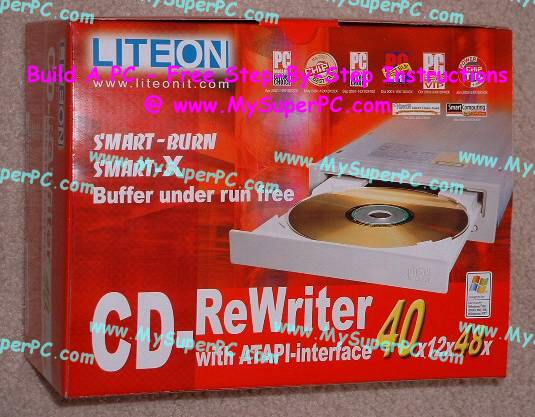
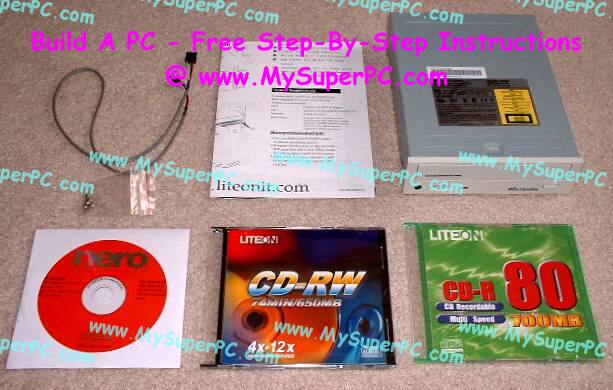
The brand of a CD-RW drive does not make much difference. I have used NEC, Sony, and Lite-On, but there are many others that will do just as well. Here is CD-RW optical drive I have used in a previous version of My Super PC, a Lite-On 40x/12x/48x. The speeds refer to the transfer rate of data. A speed of "1x" corresponds to 150 kilobytes of data per second. The three numbers in the speed rating correspond to the speed of writing CD-R discs, writing CD-RW discs, and reading CDs respectively.
My favorite source of information on CD-RW drives is CD-RW CD-ROM Labs. I especially like their CD-ROM and CD-RW Reviews page since nearly everything ever made has been reviewed and is listed in easy to find order. Also, each review is very consistent which makes it easy to compare the reviews of different CD-ROM or CD-RW drives. For CD-RW drives, the reviews also cover the installation, use and features of the packaged software to burn CD's.
It's fairly common to use CD-R discs as the physical media of choice rather than CD-RW discs, even though it means it can only be used once. This is because CD-R discs are substantially cheaper than CD-RW discs and there's not that much need to write over it again.
It's unlikely CD-ROM and CD-RW speeds will exceed 56x without some advancement in the technology of either the media or the drive. The structural integrity of today's media cannot hold up at such speeds in today's drives. And it's unlikely there will be advances in the technology unless consumers demand it, which doesn't seem very likely, so there you are.